Posts

How to unlock bootloader of motorola devices .

Image
 There are 4 steps involved in unlocking your device     go to this website for all steps - Click Here DEVICE ID AND UNLOCK KEY Now that you understand the risks associated with unlocking the bootloader, let’s get started! First, we’ll need to get your device ready to get the device ID and unlock key. You’ll need to do a few things to get this.   Android SDK Platform Tool. You can download it here. Install the latest Motorola USB Drivers. Get them here. Next, you will need to get your device ID. TO GET YOUR DEVICE ID Put your device in fastboot mode (press the power button and volume down button at the same time and connect your device to your computer with a USB cable). On your computer, open a command prompt or Terminal session. Go to the Directory where you installed the Android SDK tools, and type: $ fastboot oem get_unlock_data This fastboot command will return a character string. This is the Device ID which you will be using to generate your unique unlock key. ...

Paranoid Custom Rom By the Paranoid Android team.

Image
Paranoid custom rom kafi purani but kafi acchi custom Rom hain in tearm of simplicity and minimalistic. Dekhne se aapko pixel experience ka look milega. Aur jab bhi aap isko use karoge to aapko ek kafi aise solid wala stock ROM wala feel hoga. Bilkul Debloated hai koi bhi faltu ki yahan pr apps nahin hai sab Google ka hai jo bhi hai aur koi bhi mere ko major bug feel nahin hua baki aap apni taraf se ek bar isko install karke try karo kaisa ye rahata hai aur kaisa aapko experience Mila.  Download Custom Rom-  Click Here All thanks goes to paranoid Android team members. Installation Instructions👇 1. Unlock your bootloader, 2. Download platform tool and extracted into PC / laptop. 3. Copy Custom Rom into to platform tool folder. 4. Click on path search and type CMD and hit enter.  5. Now check your connection between PC and phone with the command of "fastboot devices" 6. After successful connected with the fastboot mode enter next command "fastboot update aospa...

Xiaomi Poco X2 For Custom Rom Developer.

  Released 2020, February 11 208g, 8.8mm thickness Android 10, up to Android 11, MIUI 12.5 64GB/128GB/256GB storage, microSDXC   The Xiaomi Poco X2 is set to be released in February 2020. Here are its key specifications. Design and Performance: Dimensions: 165.3 x 76.6 x 8.8 mm, weight: 208 g. Glass front and back (Corning Gorilla Glass 5) with plastic frame. The 6.67-inch IPS LCD has a 120Hz refresh rate, HDR10, and 1080 x 2400 pixels. performance: Qualcomm Snapdragon 730G processor (8nm). Octacore CPU (2x2.2 GHz Kryo 470 Gold & 6x1.8 GHz Kryo 470 Silver). Adreno 618 GPU. Available RAM options: 6 GB or 8 GB. Storage options: 64 GB, 128 GB, or 256 GB (UFS 2.1). Camera Configuration: Quad Rear Camera: 64 MP (detailed, f/1.9, PDAF). 8 MP (overlapping, f/2.2). 2 MP (Macro, f/2.4). 2 MP (high resolution, f/2.4). Two front-facing cameras: 20 MP (detailed, f/2.2). 2 MP (high resolution, f/2.4). Battery and charging: 4500 mAh Li-Po non-removable battery. 27W...

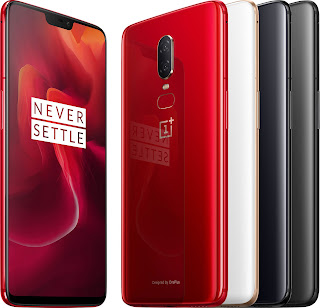
How to Install Official TWRP Recovery on OnePlus 6

Image
  Team Win Recovery Project is an open-source software custom recovery image for Android-based devices. It provides a touchscreen-enabled interface that allows users to install third-party firmware and back up the current system which is functions often unsupported by stock recovery images. –  WikiPedia How to Install Official TWRP Recovery on OnePlus 6 (enchilada) Before going to the TWRP installation process, make sure to follow all the pre-requirements mentioned below properly. Pre-Requirements: The file and guide are supported for the OnePlus 6 (enchilada) model only. Don’t try it on other devices. OnePlus 6 bootloaders should be unlocked. A PC/Laptop and a USB cable are required for this process. Make sure to take a Full Backup of Device Data. Charge your device battery to full. TWRP Recovery Details File Name TWRP Recovery Version V3.5.0 and Higher Support Official Developer TWRP Team Download Link Download Turn off your device > Press and hold the Volume Up + Po...

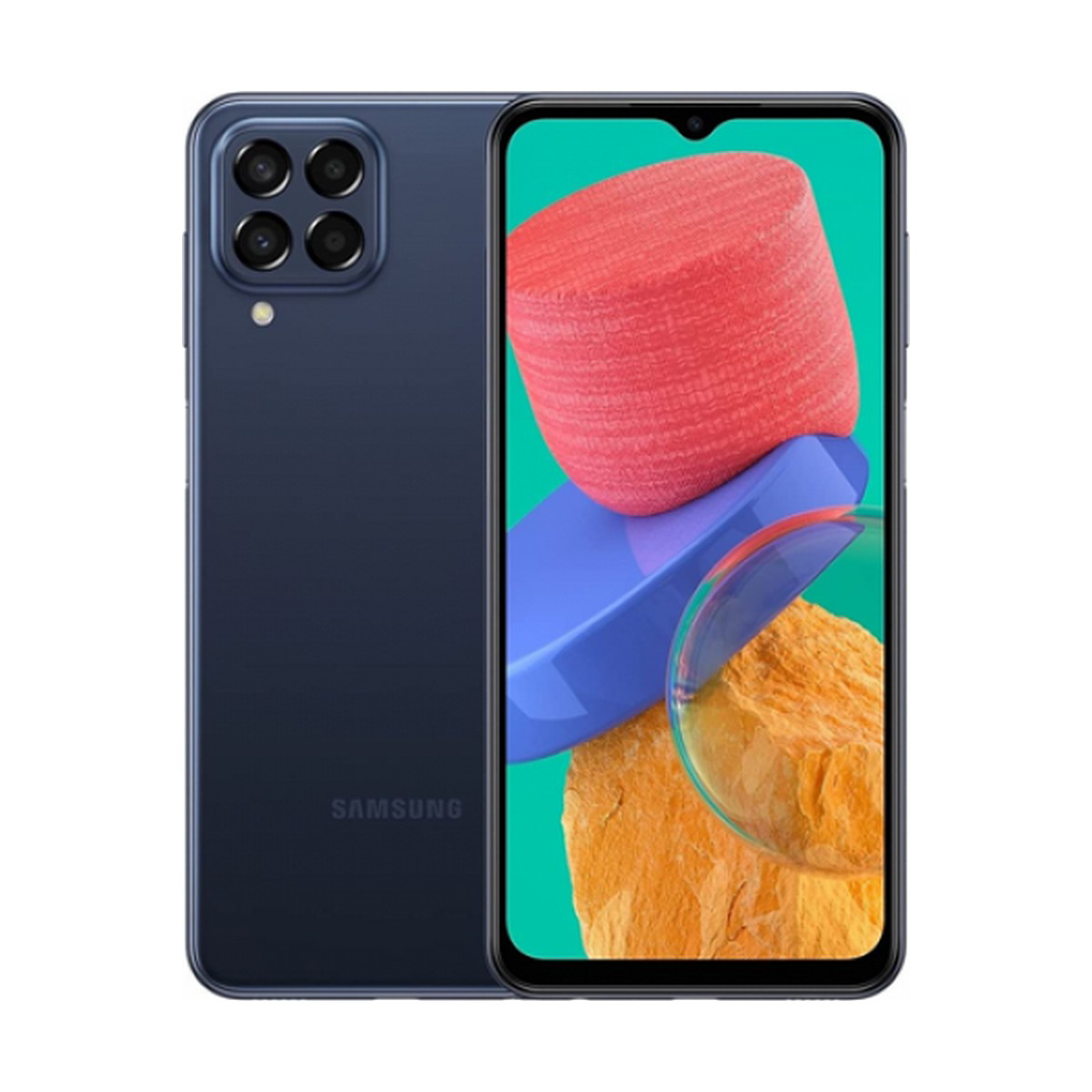
Samsung Galaxy M33 TWRP Custom Recovery

Image
 Samsung m33 [Recovery] [TWRP] [Testing] [15 april 2023] Warning ⚠️ * Your warranty is now void!!! * * If sh!t happens, i am not responsible for your bricked device. * do some research if you have any concerns about features included in this recovery * before flashing it! YOU are choosing to make these modifications, * Do at your own risk!!! */ Version and device Information: Status: Testing Device: Samsung m33 Codename: m336BU Android version: android-12 (M336BUXXS4BWB1) Release Date: April 15, 2023 INSTALLATION Connect to pc and boot into stock recovery Factory reset Reboot into download mode. flash twrp.tar into the ap slot reboot to recovery After that flash samsung multidisabler zip Reboot to recovery from main menu (not just reboot) (optional) Backup boot, data, super and dtbo Reboot to system Download:-  Click Here

Android rooting process in hindi.

Image
 Android रूटिंग (Rooting) एक प्रक्रिया है जिसमें आप अपने Android डिवाइस के रूट या सुपरयूजर अधिकार (Superuser access) प्राप्त करते हैं। रूट अनुमति देने से आप अपने डिवाइस के सिस्टम फ़ाइल तक पहुंच सकते हैं और उसमें परिवर्तन कर सकते हैं जिससे आप विभिन्न साधारण उपकरणों और अनुप्रयोगों को प्रवेश दे सकते हैं, जो आमतौर पर रूट न होने के कारण नहीं हो सकता। Android रूटिंग का प्रक्रिया निम्नलिखित रूप से किया जा सकता है: 1. सबसे पहले, अपने डिवाइस में समर्थ USB डिबगिंग को सक्षम करें। इसके लिए सेटिंग्स > डेवलपमेंट या डेवलपर विकल्प पर जाएं और वहां USB डिबगिंग को चेक करें। 2. फिर, आपको अपने डिवाइस के लिए सही रूटिंग टूल को डाउनलोड करना होगा। आपके डिवाइस के लिए उचित टूल वेबसाइटों और फोरमों पर उपलब्ध होगा। 3. अब अपने डिवाइस को कंप्यूटर से USB केबल के माध्यम से जोड़ें। फिर रूटिंग टूल को चलाएं और इसमें अपने डिवाइस को डिटेक्ट करने के लिए अनुसरण करें। 4. रूटिंग टूल आपके डिवाइस को रूट करने के लिए आवश्यक फ़ाइलों को इंस्टॉल करेगा। प्रक्रिया कुछ समय तक चल सकती है, कृपया सब्र करें। 5. जब रूटिंग पूरी हो जाए, ...

50MP कैमरा, 5000mAh बैटरी वाले Realme के फोन को सस्ते में खरीदने का मौका

Image
  Realme Narzo N53 Discount and Offer Realme Narzo N53 फोन 500 रुपये से भी कम कीमत में खरीद सकते हैं। यह कंपनी का अब तक का सबसे पतला स्मार्टफोन है। अगर आपके पास HSBC Credit Card है तो आप फोन पर 7.5% इंस्टेंट डिस्काउंट पा सकते हैं। अगर आप इस फोन को EMI पर खरीदना चाहते हैं तो आपको हर महीने 430 रुपये देने होंगे अगर आप नया स्मार्टफोन खरीदने की प्लानिंग कर रहे हैं तो आपके लिए अच्छी खबर है। आप 9 हजार रुपये वाले Realme Narzo N53 फोन 500 रुपये से भी कम कीमत में खरीद सकते हैं। इस फोन में कई दमदार फीचर्स देखने को मिलते हैं। यह कंपनी का अब तक का सबसे पतला स्मार्टफोन है। Narzo N53 में फ्लैट फ्रेम के साथ पॉलीकार्बोनेट बॉडी है। फोन में आपको 4GB रैम और 64GB स्टोरेज देखने को मिलती है। आइए आपको स्मार्टफोन पर मिल रहे ऑफर के बारे में डिटेल से बताते हैं अमेजन पर  Realme Narzo N53  को 8999 रुपये में लिस्ट किया गया है। यही नहीं, फोन की खरीदारी पर कुछ बैंक ऑफर्स भी मिल रहे हैं, जिनका फायदा उठाकर आप इस कीमत को और कम कर सकते हैं। ग्राहकों को लुभाने के लिए स्मार्टफोन की खरीदारी पर एक और शानदार डील...